A till is only one part of running a shop. iNdex POS brings sales, stock, customer balances, suppliers and reporting into one system that works on Android.
Selling, stock, staff, credit customers and tax, built around one rule: the till never waits for the internet.
Offline POS
No signal. No power. Still selling.
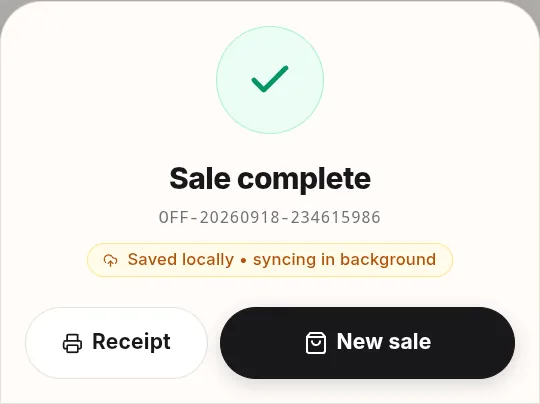
Each sale is written to an encrypted database on the phone first, then uploaded in order when the connection returns. The cashier always sees where a sale stands: saved locally, syncing in the background.
Encrypted on the device, with the key kept in the phone's secure storage.
Tills talk to each other. Cashier phones sync with the manager's phone over Bluetooth and a local Wi-Fi hotspot, with no internet at all.
Close the shift anyway. Sales still waiting to upload go up automatically later.
Payments
Take money the way Africa pays.
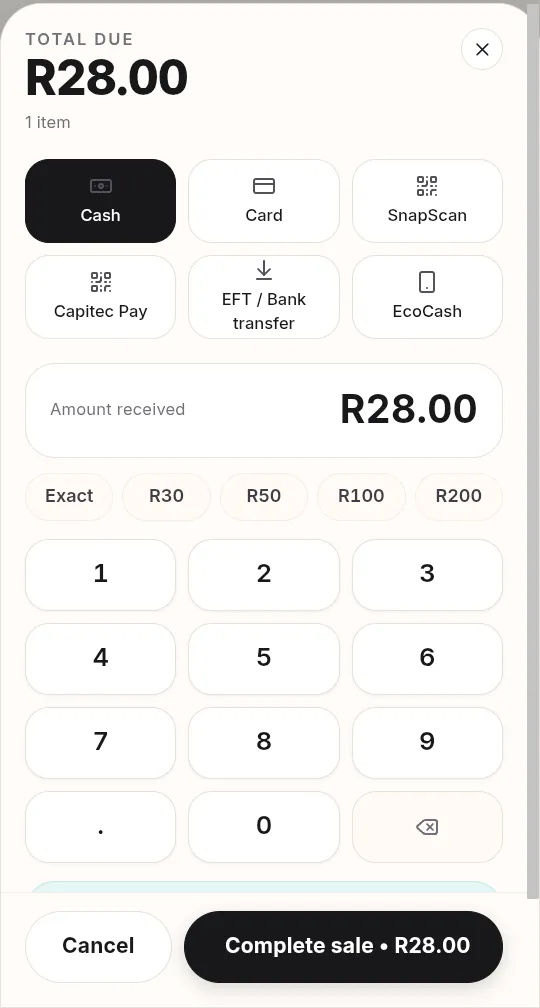
Cash with quick-note buttons and change worked out for you, plus card on any bank's machine, QR wallets, EFT and customer accounts. Each card machine can be its own tender, so the cash-up shows each machine's total. Tenders start in record mode, so you don't need a payment provider's API key to open.
Quick at the counter: on a keyboard, F2 opens payment and Enter completes the sale.
Hold, discount or attach a customer straight from the cart.
Tender buttons follow your country's defaults, or your own list.
Stock control
Stock that keeps itself honest.
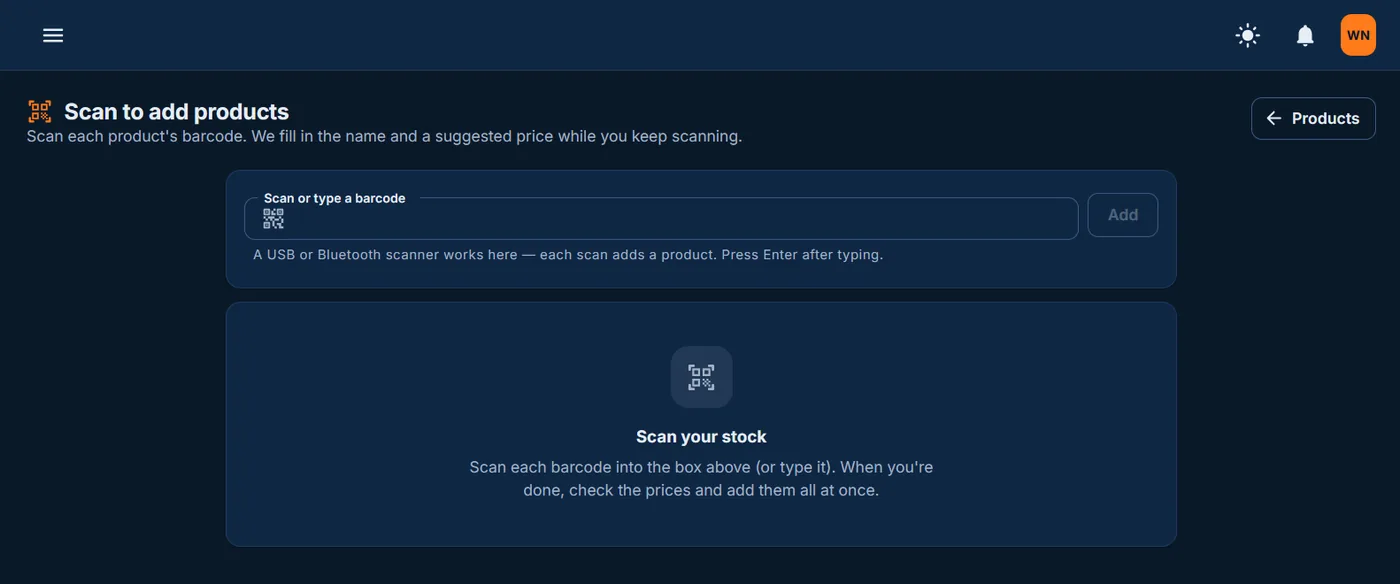
Scan each barcode and iNdex fills in the name and a suggested price while you keep scanning. Or import a CSV or Excel file, and every till updates live.
Low-stock and reorder alerts before the shelf runs empty.
Stocktakes and stock movements for every product.
Suppliers, purchase orders and goods received, checked against what you ordered, with what is still on order shown next to low stock.
Damaged, lost and returned stock on record. Goods damaged on delivery never become sellable, and faulty parts go back to the supplier on a return that is your debit note.
iNdex Admin · Scan to add products
Credit & laybye
Customer accounts with credit limits, terms and reminders. Customers can pay off what they owe while they buy, and the receipt shows the balance before and after. Statements go by WhatsApp or email, and laybye contracts are paid off in instalments.
WHO OWES YOU · HOW LATE · WHAT CAME IN
VAT, done for you
VAT is worked out on every sale at your country's rate. In South Africa the VAT201 report gives you the figures for your SARS return, and sales can flow to Xero or Sage.
VAT · XERO · SAGE
WhatsApp receipts
The till opens the customer's WhatsApp chat with the receipt picture attached, so the cashier only taps Send. WhatsApp Business works too.
NO PAPER ROLL NEEDED
Multi-branch
Compare today's sales across your stores, and watch each till live: what every cashier is ringing up right now and how their day is going.
BRANCHES · LIVE TILLS
Manager approvals
Tills ask for approval on discounts, price changes, voids, refunds and cash-outs, and your phone rings until someone answers.
VOIDS · REFUNDS · DISCOUNTS
Shifts & cash-up
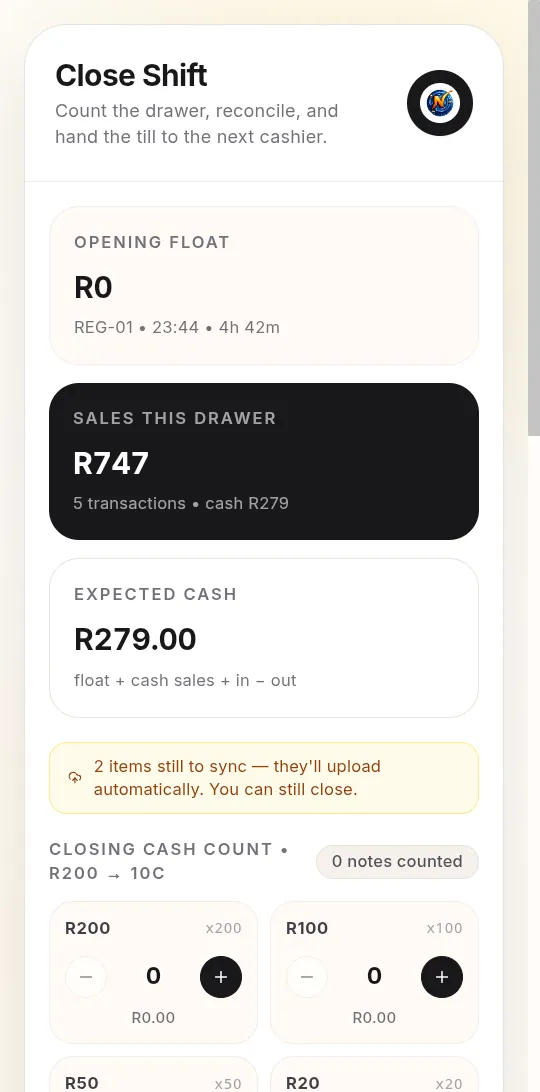
Open a shift with a counted float and close it note by note, from R200 down to 10c. A drawer that is over or short needs a reason and a manager's approval.
FLOAT · COUNT · RECONCILE
Specials that end on their own
Put a product, brand or category on special from one date to another. Every till charges it, the normal price is never touched, and it switches back by itself, even on a till with no signal.
START · PAUSE · END BY ITSELF
Customer wallets
Regulars can load money to spend later, or split a payment between what they owe and their wallet. The wallet pays at the till with cash or card for the rest, and never goes below zero.
LOAD · SPEND · SEPARATE FROM DEBT
Refunds done right
Refund one item or all of them, at the price the customer paid. Choose whether it goes back on the shelf or is faulty and kept off it, and a manager approves with a PIN.