Spaza shop POS
Run the township business your customers know, with the books kept for you.
- Credit accounts with limits
- Statements by WhatsApp
- Laybye contracts
- WhatsApp orders
iNdex POS turns the Android phones and tablets you already own into tills for spaza shops, retailers and restaurants. Every sale is saved on the device first and synced when the network comes back, so load shedding never closes your till.
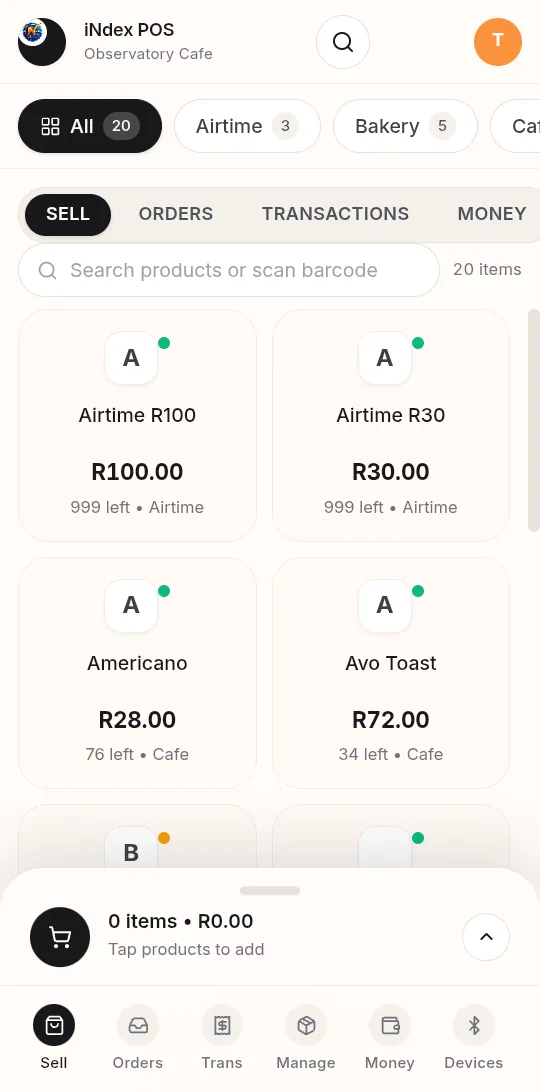
From a spaza that runs customer accounts to a restaurant with a kitchen screen, iNdex POS fits the business in front of it.
Run the township business your customers know, with the books kept for you.
Scan it, price it, sell it, and know exactly what's left on the shelf.
For restaurants, cafés and takeaways that need speed at the counter and control in the kitchen.
Sell the everyday essentials that bring customers through the door, from the same till as everything else.
Start simple. Every shop gets the core POS: selling, products and prices, stock levels, customers and accounts, staff PINs, shifts and cash-ups, live tills, approvals, receipts and printers. Switch on only the extras you need and the menu shows just those.
MODULES · ON / OFFSelling, stock, staff, credit customers and tax, built around one rule: the till never waits for the internet.
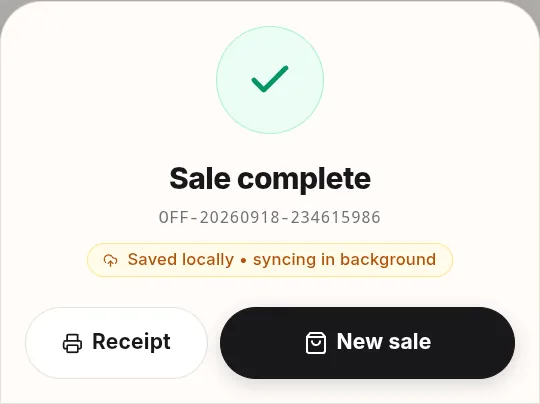
Each sale is written to an encrypted database on the phone first, then uploaded in order when the connection returns. The cashier always sees where a sale stands: saved locally, syncing in the background.
Cash with quick-note buttons and change worked out for you, plus card, QR wallets, EFT and customer accounts. Tenders start in record mode, so you don't need a payment provider's API key to open.
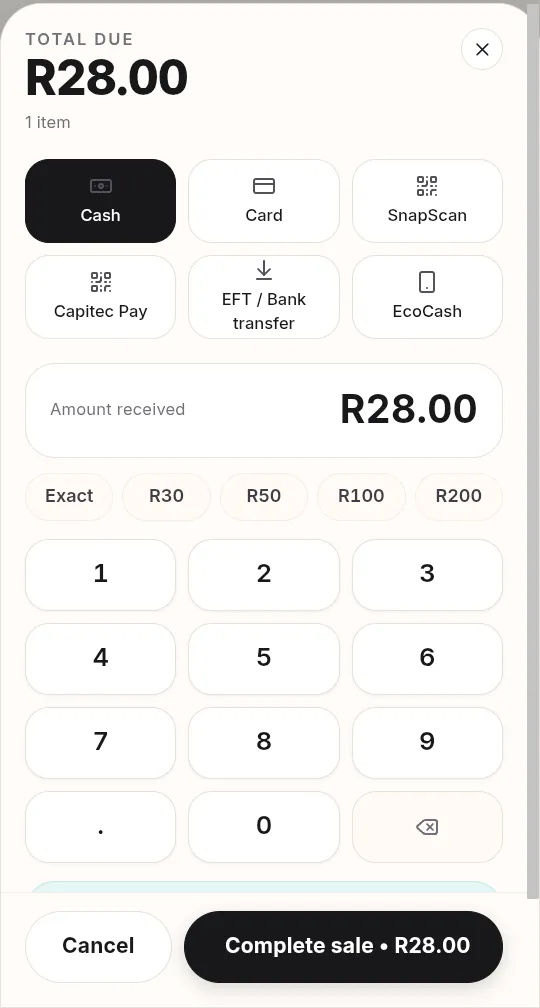
Tender buttons follow your country's defaults, or your own list.
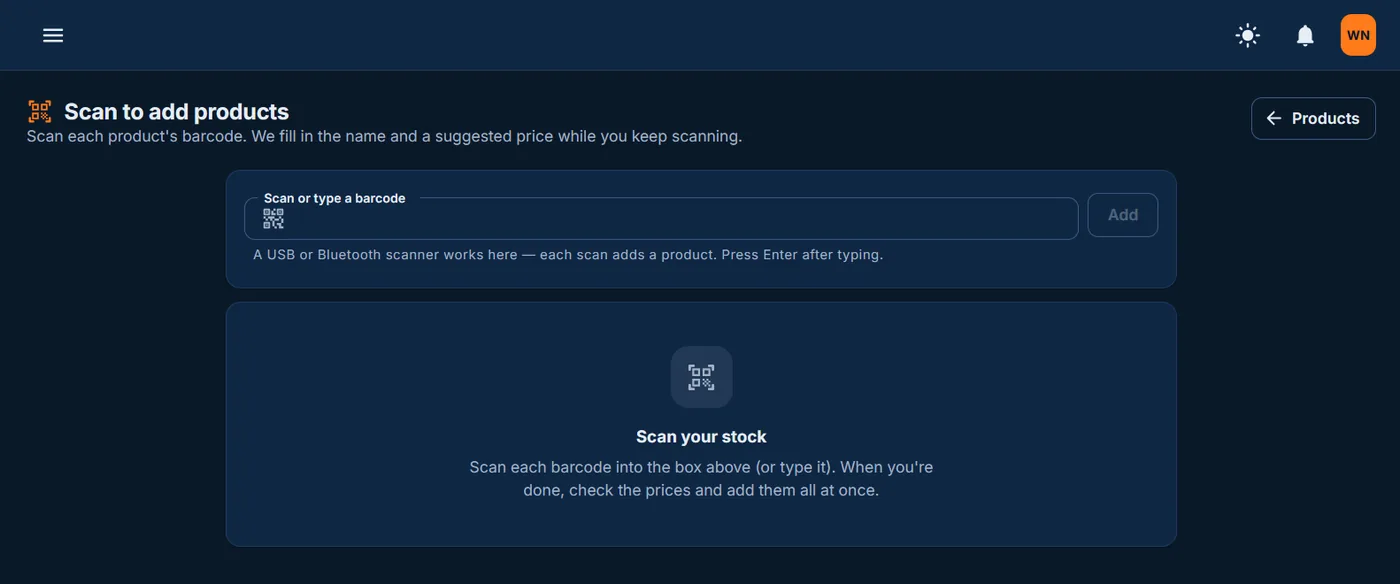
Scan each barcode and iNdex fills in the name and a suggested price while you keep scanning. Or import a CSV or Excel file, and every till updates live.
Customer accounts with credit limits, terms and reminders. Send statements by WhatsApp or email, and run laybye contracts paid off in instalments.
VAT at 15% is worked out on every sale. The VAT201 report gives you the figures for your SARS return, and sales can flow to Xero or Sage.
The till opens the customer's WhatsApp chat with the receipt picture attached, so the cashier only taps Send. WhatsApp Business works too.
Compare today's sales across your stores, and watch each till live: what every cashier is ringing up right now and how their day is going.
Tills ask for approval on discounts, price changes, voids, refunds and cash-outs, and your phone rings until someone answers.
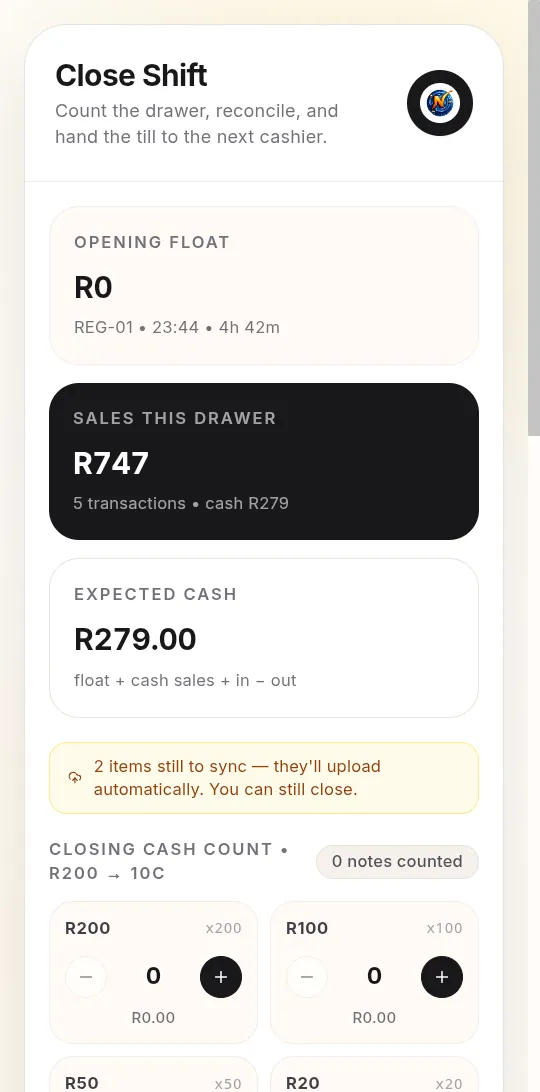
Open a shift with a counted float and close it note by note, from R200 down to 10c. A drawer that is over or short needs a reason and a manager's approval.
No special terminal to lease. Pair an ordinary Bluetooth printer, scan with the phone's camera, and register the drawers and scanners each till uses.
Prints straight to a paired Bluetooth thermal printer. No printer app: pair it in the phone's Bluetooth settings and print.
Scan with the phone's rear camera at the till, or use a USB or Bluetooth scanner when you add products.
Register the drawer each till uses, and choose whether cash sales need an open, counted drawer first.
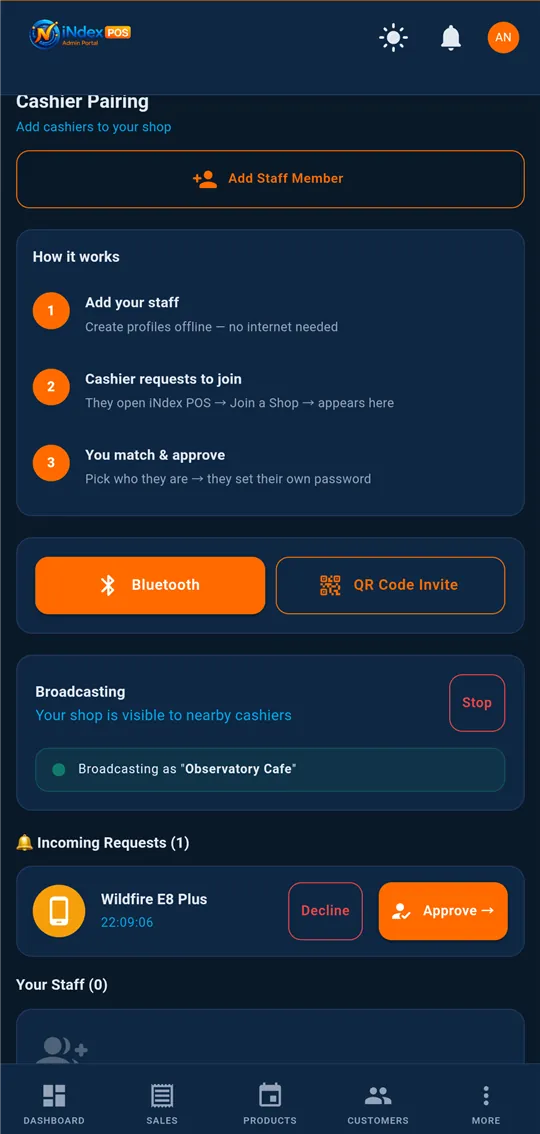
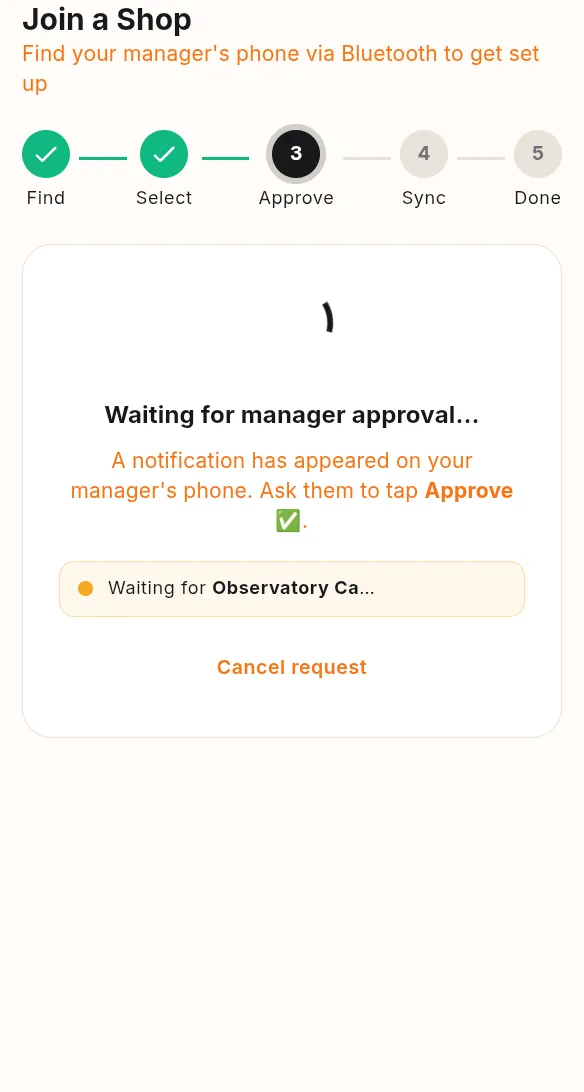
Cashier phones find the manager's phone over Bluetooth, then join its Wi-Fi hotspot automatically to pull products and push sales.
The cashier taps Join a Shop. Your phone gets the request and you tap Approve. After that, whenever the two phones are near each other, they sync on their own.
No installer visit and no contract. Your shop is live the moment you register.
Register your shop in a few minutes. You're logged straight in on the free trial, and no card is needed.
Scan barcodes one after another, or import a CSV or Excel file. Prices and stock reach every till.
Put iNdex POS on each Android phone or tablet, tap Join a Shop, and approve it from iNdex Admin.
Open a shift, ring up sales, print or WhatsApp receipts, and cash up at closing. Sync takes care of itself.
Start free with full access. When the trial ends, pick the plan that fits how busy your shop is.
No card required
For a single shop
For growing shops
Busy stores & restaurants
Chains & multi-branch
Prices shown in South African rand (ZAR), excl. any local taxes. Ask us for pricing in your currency.
Switch on Times and your till staff join automatically. They clock in and out on the till with their employee number and PIN, or on their own phone, and you get rosters, breaks, leave, loans and a live board of who's in.
Yes. Every sale is saved on the device first, in an encrypted database, and uploaded when a connection is back. Cashier phones can also sync with the manager's phone over Bluetooth and a local Wi-Fi hotspot, so the shop keeps trading during load shedding or a network outage.
An Android phone or tablet is enough to start selling. Owners and managers use the iNdex Admin app or any web browser. A receipt printer, barcode scanner and cash drawer are optional.
58 mm and 80 mm Bluetooth thermal printers that use ESC/POS, the command set used by Xprinter, Goojprt, MTP, Rongta, Epson TM and most other receipt printers. Pair the printer in the phone's Bluetooth settings; no printer app is needed.
Yes. It was designed for spaza shops, tuck shops and small retailers as much as for restaurants and multi-branch stores: customer credit with limits and WhatsApp statements, laybye, WhatsApp orders, and airtime and prepaid electricity from the same till.
After the free trial, plans are R299 a month (Starter), R599 (Growth), R999 (Professional) and R2 499 (Enterprise). They differ in monthly sales, staff and product limits.
Yes. Sign up online for a free 2-month trial with full access and no card. Your shop is live as soon as you register.
Yes. VAT at 15% is worked out on every sale, and the VAT201 report gives you the figures for your SARS return. Sales can also flow to Xero or Sage for your accountant.
Cash, card, SnapScan, Zapper, Capitec Pay, EFT and customer accounts. Every method starts in record mode, so you don't need a payment provider's API key to start trading.
Two months free with full access and no card. Set up on the phones you already have.